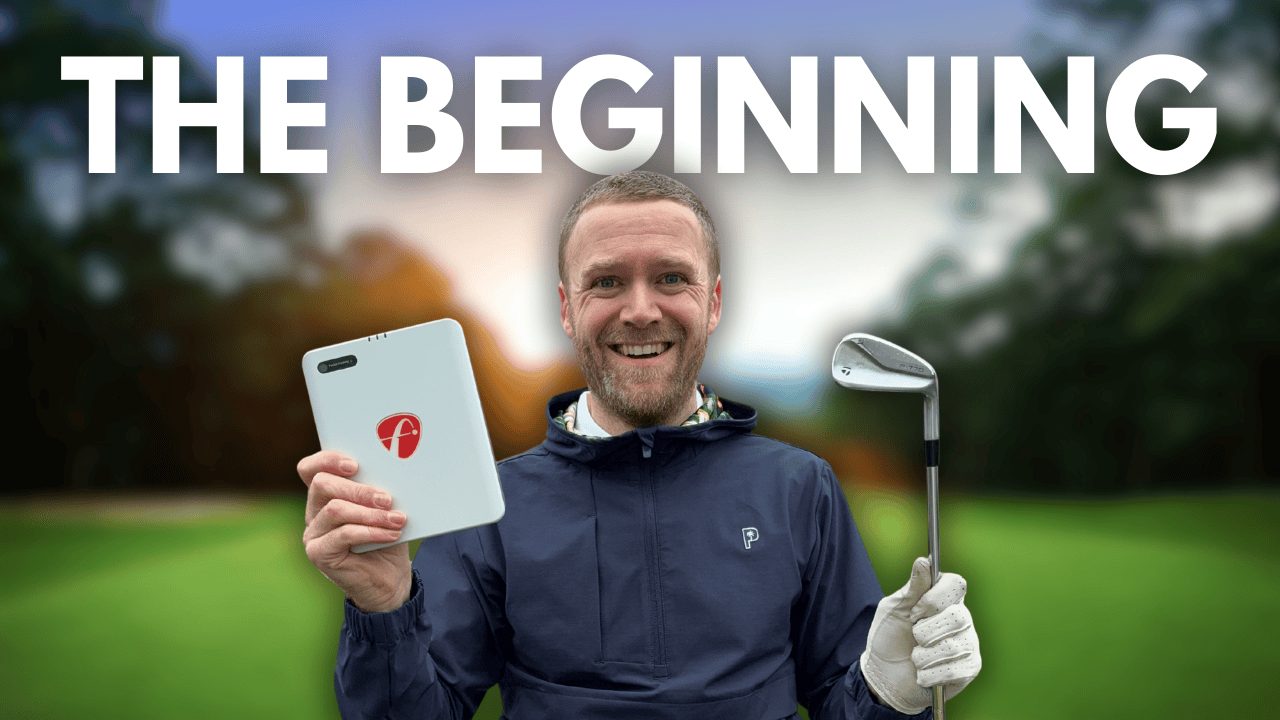
If you’d like to find out more about the deWiz or save an incredible 10-15% when buying one, visit the official deWiz website and enter my exclusive discount code ‘ANDYSGOLFBLOG‘ at checkout. I promise you’ll not be disappointed with this training aid, especially given it comes with a handy 30-day money-back guarantee.
Now, if you’d like to see how I got on trying to improve my golf swing tempo, check out my deWiz tempo video below. Be sure to drop a comment in the comments area to let me know your thoughts on this device, this video, or ask any questions that you may have about this product.
View video transcript
Introduction and Goal Setting
In this video, I’m going to have a look and see if I can improve the tempo of my golf swing and get closer to that of the tour professionals. Now, historically, when I’ve had lessons, I’ve been told that my tempo is a little bit quick, and in particular with my back swing. If you look at the advice online—and I’ve looked at lots of different videos and read articles on this—the advice is to look for and try to get a tempo of around about a ratio of around 3 to 1, which is three times longer in the back swing than you are in the downswing. Now, personally, I think my back swing is quite quick and I know my downswing is fairly quick, so I think that ratio is going to be quite a bit lower. But what I want to do in this video is I want to analyze my golf swing as it is without hitting any balls; I’m just in the garden here, and I want to get some data on it. In particular, to do with my swing ratio, my back swing speed, and my down swing speed. And then what I want to do is I want to compare that with data obtained from some touring professionals and see if mine is that far off of their ratio or indeed the recommended 3:1 ratio. And if it is, I want to look at ways of improving my ratio to get closer to 3:1.
Introducing the deWiz Analyzer
In order for me to be able to accurately analyze my golf swing and in particular my swing ratio, I need some technology. And for this, I’m going to use the deWiz golf swing analyzer. Now, this is a product which I have recently got my hands on, and it is incredible. It allows you to analyze so many different components of your golf swing so you can then take that data and look to make improvements. The great thing about this device is you can use it in the garden—you don’t need to be hitting balls, you don’t even need to actually be swinging a club to get some data about your golf swing—or you can use it at the driving range or indeed on the golf course. It connects to an app via Bluetooth, and I’ve got the app set up on my phone here. I’m capturing the screen, and that’s going to show you the data for each of my swings. Now, you can do a heck of a lot with the deWiz. In this video, we’re just focusing on Tempo, but there are lots of different elements that you can analyze and look to improve, and I have more videos on my YouTube channel. So, if you want to check them out, go and have a look. Make sure you subscribe because I’m going to be using this all throughout the winter to look at different elements with the deWiz, different elements of my golf swing, and where I can make improvements. If you want to find out more, you can hit the link in the description below, and you can also find a handy 10 to 15% promo code there which can make you quite a substantial saving if you are interested in buying a deWiz.
Initial Data Capture Methodology
So, anyway, let’s first of all start off with making some golf swings so we can work out what my Tempo is, because I don’t want to be guessing here; I want to actually use some data. So, we’re going to make five swings with a five iron, an eight iron, a pitching wedge, and my driver. These are just going to be my normal golf swings, not hitting a ball, not worrying about any of the intricacies of my swing, just wanting to purely capture some Tempo data. And then what I’m going to do is I’m going to show you how my Tempo data compares with that of some touring professionals. And then what we’ll do is we’ll look at how we can then use the deWiz to fine-tune our rhythm or tempo and try to get closer to those numbers that we’re seeing from the professionals or the recommendations. So, to start with, we are going to grab some data with the five iron.
Initial Swing Data Collection (5-Iron)
So, I’m going to go into “Practice your Tempo.” We’ve got the setup for the five iron already, and I’m simply going to make some swings and see if we can get some data. So, I’ll wait till the device lights up green, and I’m just making my normal golf swing. Five with each club. 2.1 to 1, 2.1 to 1. Just push that tee back in a little bit, so let’s get a couple more with this: 2.1 to 1, and one more with the five iron. Okay, so we’ve made five swings there with the five iron. What I can now do is I can close this down. Let’s look at the data here. So, we have five swings. You can see there my average is 2.1 to 1 for my ratio, with a back swing duration of 0.69 seconds. So, in terms of the ratio for that five iron, the average really is 2.1 to 1 there, and back swing around about 0.7, down swing around about 0.3 seconds.
Initial Swing Data Collection (8-Iron, P-Wedge, Driver)
Anyway, let’s make some swings now with the eight iron, so we need to jump into here. Let’s change this to the eight iron, and let’s make some Tempo swings here. And then what we’ll do is we’ll do the same with the pitching wedge, and then we’ll do the same with the driver, and we’ll take a closer look at my data. So, let’s make some swings here with the eight iron. Tempo ratio 2:1. And what’s really good is it actually bleeps whenever it’s recorded. You can see it on the app, and the audio comes out to tell you basically the key metric. Two to one, right. So, now we’ve captured the eight iron, let’s move on to the pitching wedge here. So, five swings with the pitching wedge. Okay, so that’s five swings with the pitching wedge. Let’s close this down. Let’s drop this to the driver, and we’ll finish off by making five swings with my driver. Two to one. Okay, so that’s just five swings with each of the clubs. Now it’s time to have a closer look at the data that we have obtained.
Reviewing Initial Data Consistency
So, I’ll grab my phone, and this lets us see all of the swings now. Obviously, you can change this by date. We’re looking at today, and we’ve got Tempo there for five iron, eight iron, pitch wedge, and driver. So, the first thing I can see is if I look at them, they all have an average Tempo ratio of either 2.1 to 1 or 2 to 1, so very, very close in terms of across the board my Tempo ratio. Now, the back swing duration is very, very close, 0.69 average, 0.67. And what we can do here is we can tap and go into the clubs and we can look. So, we’ve got the pitching wedge here. Generally speaking, the downswing duration is pretty much around about 0.34, 0.3. Same with the five iron, and you can see just going into that, so my swing is actually pretty consistent in terms of the back swing duration and the down swing duration.
Comparing Amateur Data to Tour Professionals
What I’d like you to do is jump into the comments and let me know just what you think the average would be for some tour professionals, such as Henrik Stenson or Bryson DeChambeau. So, what kind of tempo do you think that these tour professionals have? And then what we’re going to do now is we’re going to have a look at their Tempo and compare it with mine. Now, you can do this on the web browser on your computer using the data on the deWiz website, but I’m going to just do it on my phone just to save a little bit of time. So, let’s jump into here, and we can now look at insights for our swings that we’ve just captured. So, I’m going to show only my data, and then you’ll see here if I just make sure there’s no filters on—so we don’t have any filters at the moment—let’s have a look at my insights. First of all, my Tempo ratio on average is 2.1 to 1. We can tap on the five iron here, so for those five swings, 2.09 to 1. Eight iron, 2.04. Pitch wedge, 2.09, so the same as the five iron. And then my driver, 2.04 to 1. What we can then do is we can scroll down and we can take a look at my back swing duration and how that changes per club. So, average there of the five iron, eight iron, pitch and wedge, and driver. And then we can also see the down swing duration. Now, what we can also do is we can go in and filter by club. So, let’s have a look at the Tempo here for my driver, and you’ll see that we can find, I think it’ll be at the very top here, the tempo ratio is 2.1 for my driver. And you can do that for your other clubs. But let’s turn that filter off, because what I want to do now is I want to see how I compare with some of these professionals. So, first of all, let’s look at Bryson DeChambeau. As I said at the beginning, the deWiz allows you to analyze so many different aspects of your golf swing and compare them with the professionals, but I am just interested here in my Tempo. So, my Tempo ratio on average is 2.1 to 1, whereas Bryson’s is a little bit lower than that 3:1 tempo that we talked about the beginning; he’s 2.39 to 1. And then you’ll see here for his back swing duration, quite a bit quicker than mine, a tenth of a second quicker on average. And his downswing is quite a lot quicker than mine, 0.25 seconds. So, I’ve got a slightly slower downswing. Now, most professionals are going to have a pretty quick downswing, and they’re going to be hitting the ball miles further. That’s an area that I could potentially explore to improve my distance with the clubs. But what I’m going to do here is I’m going to change the filter to the driver, show results, and you’ll see we can actually compare myself to Bryson here. So, the tempo ratio with the driver, 2.44 to 1 for Bryson, 2.1 for me. If I go up and have a look at some of the other professionals, Henrik Stenson for example, you’ll see his Tempo is 2.7 to 1 with the driver compared to my 2.1. And if I just take the filter off here, then you’ll see his is 2.69 to 1 compared to my 2.1 to 1 across the board. And you can look at other players as well. It allows you to look at Annika Sörenstam and Vijay Singh. Interestingly, Vijay Singh is 2.51 to 1, so still a closer tempo to that 3 to 1 and a smoother tempo than mine. But interestingly, his back swing duration is a lot slower than mine, but his downswing, unlike the other players who are probably that good bit younger, is actually bang on the same as mine on average. So, if I wanted to match VJ’s Tempo, then I’d be looking to increase the duration of my back swing, and that is what we’re going to do next.
Using deWiz to Improve Tempo (Learning Stimuli)
So, I’m going to jump back into the deWiz. We’re going to go into “Practice and Learn” for Tempo. And there’s a thing called learning stimuli. So, what this allows you to do is, if I turn this on—so we’ll enable this—you can actually get a little kind of pulse sent to the device which will give you a little zap to let you know when you’re swinging if you are above or below your defined practice goals. So, here for my driver and my Tempo, I’m going to go into practice goals, and I’m going to turn my minimum back swing duration on, and I’m going to set this to around about 0.8 seconds. So, that’s quite a big jump in terms of duration from what I’ve been on. I’m going to leave my maximum duration off. So, I don’t need anything for that. And then what I’m going to do is jump back into my practice here, pop the phone back on the holder, and I’m going to make some swings for the driver.
Tempo Improvement Practice and Results
I’m purposely going to try and keep my down swing the same, but I’m going to slow that back swing. And what will happen is audibly I’ll get a message on the app if I am too quick, and I’ll also get a little bit of feedback on the device. So, just to show you as an example, I’m just going to do my same swing as before, and I’ve got a little shock here, and it beeped to say, “Your back swing was too fast.” So, I actually had a quicker down swing tempo there. 2.4 ratio is going up, but the down swing was quicker. This time, I’m purposely going to go slower on the back swing. We haven’t set an upper limit, but as long as it is above 0.8 seconds, I think is what we set, then it should be okay, and I shouldn’t get a little mini shock. So, I can just count in my head, and you hear that “Successful.” Didn’t get a little shock. 2.5, and we’ve now got a back swing up at 0.92. Now, if I increase that down swing slightly but keep the same length of the back swing, we should be able to get up closer to 3 to 1. So, let’s try that now, and in my head, I’m actually going to count “1, 2, 3 down.” Okay, 2.6 to 1. 2.6 to 1. That one there 2.3, so it’s a little bit lower there, so I need to speed that down swing up but slow the back swing. There we go. 2.7. So, you can get the idea from this. We can really work on our golf swing. I can just come out to the garden here, and I can repeat this over the course of several days or several weeks to really work on that Tempo. And I think with the learning stimuli there, where we can set a desired maximum or minimum and just keep working away in all the clubs, and I love the fact that we’ve got basically we can go in and we can have a look at all of the swings, we can get the average. So, I can see in the space of 10 or 15 minutes, my driver, which was previously a 2:1 ratio of a back swing of 0.69 on average for five swings, is now a 2.5 to 1 with 0.83 seconds back swing. So, we slowed that back swing down. Now where it says “good swings 80% versus the 100%,” that’s because we set a limit, and one of those five swings was a poor swing, and four of them we managed to get that back swing duration over the threshold.
Conclusion and Future Plans
But I’m really looking forward to using the deWiz a little bit more throughout the winter period to work on my golf swing. But I’d love you to drop a comment below to let me know more about your thoughts and opinions on this device. Do you think it could do more harm than good with the golf swings? Do you think this kind of data is really useful? And do you think it’s the kind of thing that would appeal to you? There are so many more things that we can do with the deWiz. I’m looking forward to creating more video content on it. So, we’re going to look at trying to cure my slice with it. We’re going to look at the transition period. We’re going to have a look at things that the device can do that are useful to general amateur golfers. Hopefully, you did find this video useful. If you did, make sure you hit that like button. Feel free to subscribe to the channel so that you’re notified about the future deWiz videos that are released. Of course, if you want to find out more about it or if you want to buy one and make quite a considerable saving, make sure you hit that link in the description below. Be sure to copy that promo code to use at checkout. But anyway, thanks very much for watching this video, and make sure you check out these videos if you enjoyed this video here.
Now that the cold and wet winter period is well and truly upon us and there’s little chance of playing golf in the evenings after work, I’ve decided to invest my spare time into improving my golf swing. Luckily for me, I don’t need to venture far to assess my swing and make changes thanks to my deWiz golf swing analyser. Thanks to this nifty gadget, I can analyse my golf swing in the garden (with or with a ball), at the driving range and even on the golf course, and use the data to help me discover where I can look to make improvements.
Throughout the winter period, I’ll be using my deWiz to work on my tempo, transition, backswing length, clubhead speed, and get those wedges dialled in to improve my scoring. I’ll be recording these sessions and sharing them with you on this blog and over on my YouTube channel, so keep your eyes peeled for more videos.